
Equidistant Hole Array
A row of holes is often dimensioned by its ends rather than its spacing: five mounting holes across a 7½" plate, a row of rivets between two existing ones, lightening holes between two features. The equidistant hole array function takes the two end positions and a count. TouchDRO divides the line between them into equal steps and saves every hole into sub-datum memory, both ends included.
The hole grid function covers the opposite case, where the spacing is known and the end position is not.
Opening the Dialog
To open the "Equidistant Hole Array" dialog, press the "Equidistant Hole Array" button in the function strip, or select "Equidistant Holes" from the "Add Sub-Datum" menu in the sub-datum panel.
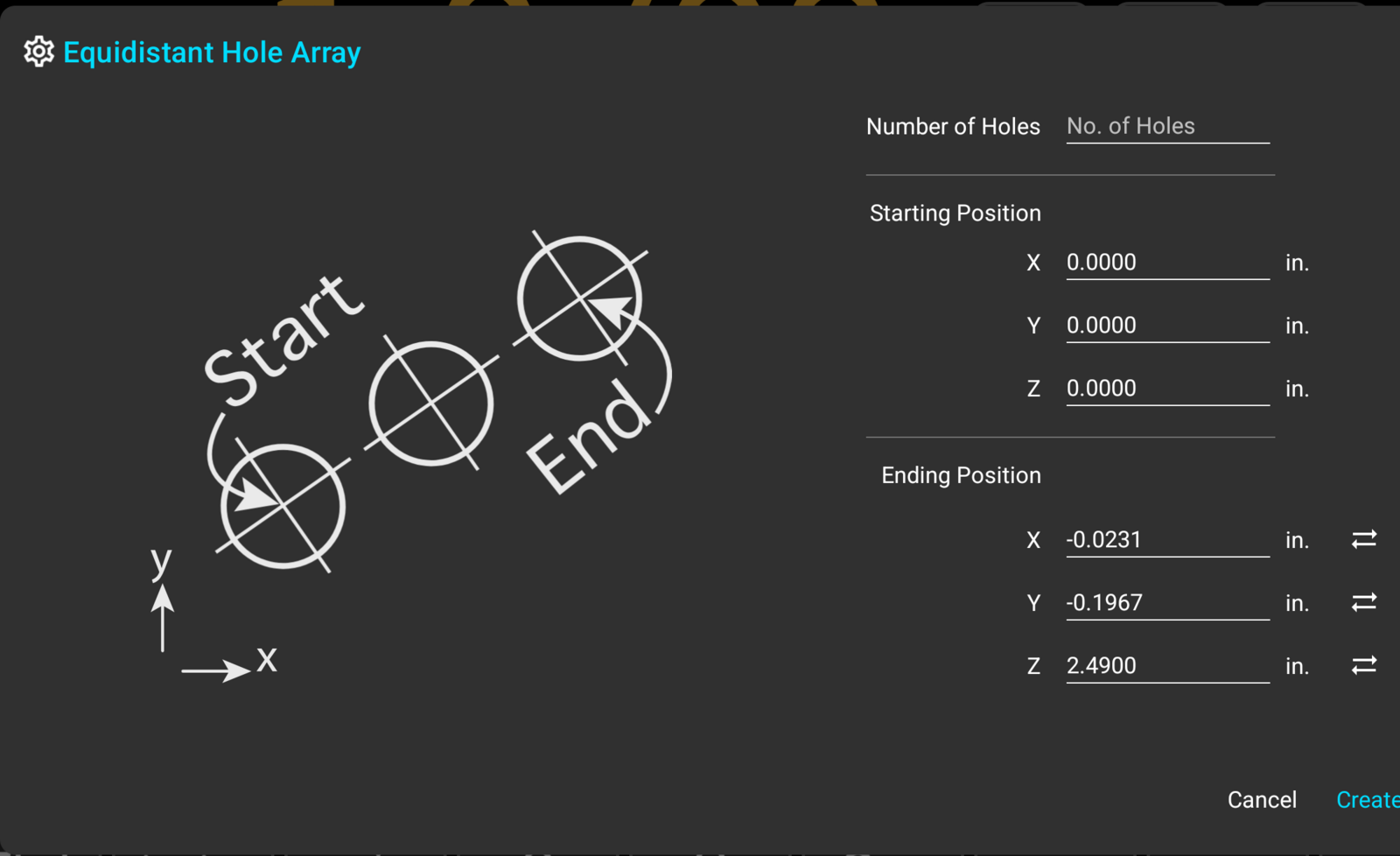
Parameters
Number of Holes
The count includes both end holes, so it has to be at least 3. A plate with a hole at each end and three between them is entered as 5. The spacing that results is the distance between the ends divided by one less than the count.
Starting and Ending Positions
The two positions are entered per axis, in the units each axis is currently displaying. The fields accept arithmetic. The starting position defaults to zero on every axis. The ending position is pre-filled with the current machine position, and the "Sync" button next to an ending field restores that reading after an edit.
In practice, the entry takes three moves: zero the axes on the first hole, crank to the last hole, and open the dialog. Both positions are already filled in, and all that is left to type is the count.
The Created Holes
Press "Create" and TouchDRO will write the holes into the current workspace as ordinary sub-datums. They appear in the sub-datum list named "Grid - 1" through "Grid - N", and are drawn at their positions in the Graphical View display, where tapping a hole activates it and the readouts count down to it.
The holes carry a "Grid" tag, and the tag filter can show or hide the whole row in one tap, in the list and in the view alike.