
Tachometer Settings
The tachometer readout shows spindle speed on the main screen and feeds the cutting speed and chip load displays in the "Axis Details" dialog. It can read a sensor on the adapter, offer a list of your machine's fixed speeds, or take the RPM typed in by hand, so a machine with no sensor still gets the cutting speed display.
To open the screen, open the application menu, tap "Settings", and tap "Tachometer Settings". The settings belong to the loaded machine profile.
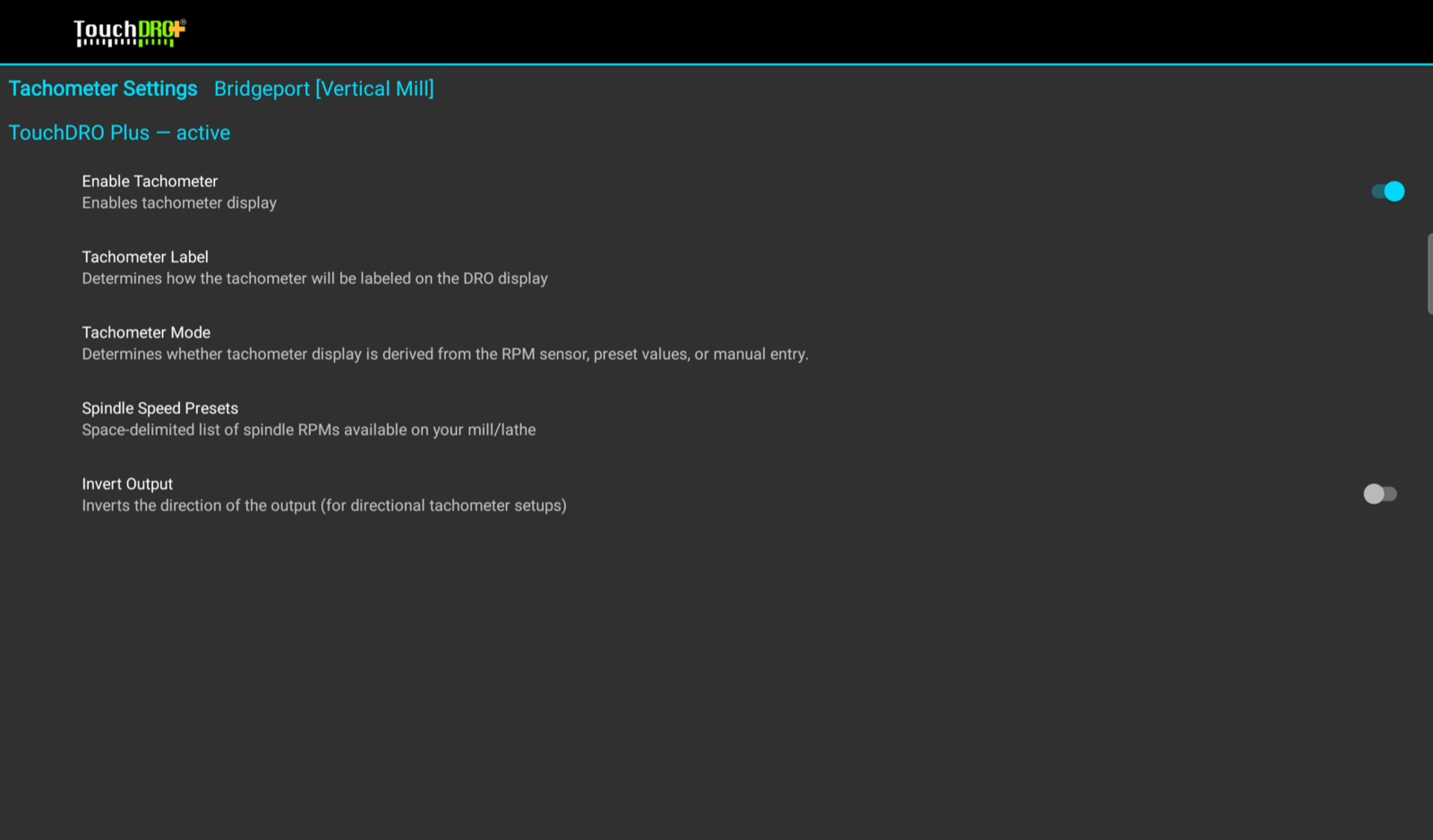
Enable Tachometer
Off by default. Turns the tachometer readout on for this machine. The other rows stay greyed out until it is on.
Tachometer Label
The label shown next to the readout on the main screen. The default is "RPM".
Tachometer Mode
Where the number comes from:
- "Read from RPM Sensor" (the default) shows the live reading from the sensor wired to the adapter's tachometer input.
- "Select from Fixed Presets" lets you pick the running speed from the list below, for a machine with a step pulley or gearbox and no sensor.
- "Directly Enter the RPM" lets you type the speed in on the main screen.
Spindle Speed Presets
Shown when the mode is "Select from Fixed Presets". A space-separated list of your machine's spindle speeds, for example "105 160 250 585 898 1400". These are the choices offered when you tap the readout.
Pulses Per Revolution
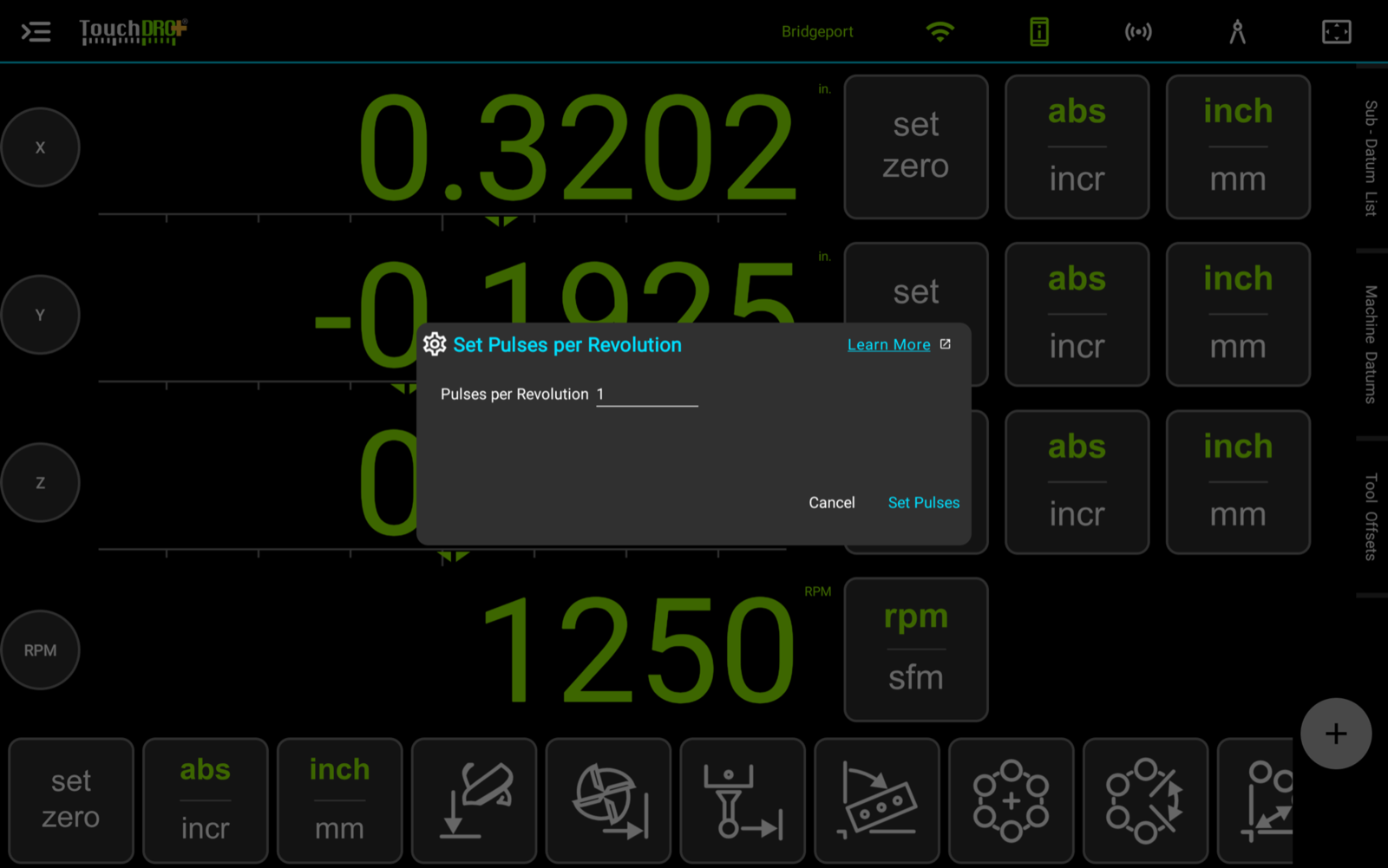
The number of pulses the sensor produces per turn of the spindle describes the sensor rather than the machine, so it is stored on the adapter and set from the "DRO Adapter Details" dialog: tap the gear on the tachometer input's row, and the "Set Pulses per Revolution" dialog will open. It moves with the adapter if the adapter moves to another machine.
Invert Output
Off by default. Flips the sign of the reading, for a directional sensor on a spindle that runs both ways.