
Recommended Android Tablets
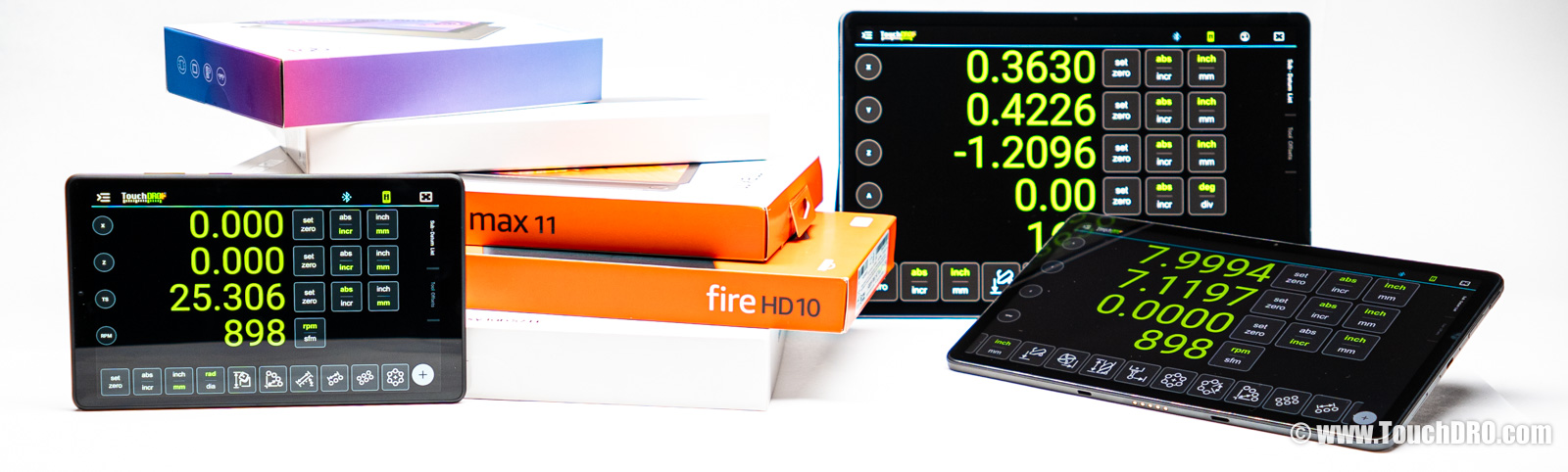
You don't need an expensive tablet to run TouchDRO. What matters more is screen size, which shapes how comfortable the app is day to day. This page covers the Android and Amazon Fire tablets we've tested, which sizes suit mills and lathes, and the models we currently recommend.
Our Recommendations
For most TouchDRO setups, we recommend the Samsung Galaxy Tab A11+ (affiliate link). It's an 11″ Samsung tablet that lists around $250 and is often on sale closer to $200, with a sharp 90 Hz screen and up to seven major Android updates. The Galaxy Tab A9+, the model it replaced, is a close second if you find it for noticeably less.
More broadly, almost any modern Samsung or Lenovo tablet will run TouchDRO well, listed here or not. The models on this page are the ones we've tested; they're a good starting point, not the only options. If you want a bigger screen or you are working to a tight budget, the sections below cover those cases too.
General Considerations
The single biggest factor in tablet choice is screen size, and the right size depends on what you do with TouchDRO. TouchDRO runs on surprisingly small screens, but how much room it has changes how comfortable the less common functions feel.
On a 7–9″ tablet the position readout is perfectly readable, but the function dialogs (bolt-hole circles, edge finding, and the like) and the graphical view start to feel crammed. A 10–11″ tablet is the sweet spot for most setups: there is room for the readout and the dialogs, the graphical view is comfortable, and the screen is almost large enough to leave in portrait full-time, though you may still flip to landscape or reach for a stylus on some tasks. At 12″ and up, the tablet is large enough to live in portrait permanently, with the readout along the top and the graphical projection view always visible below.
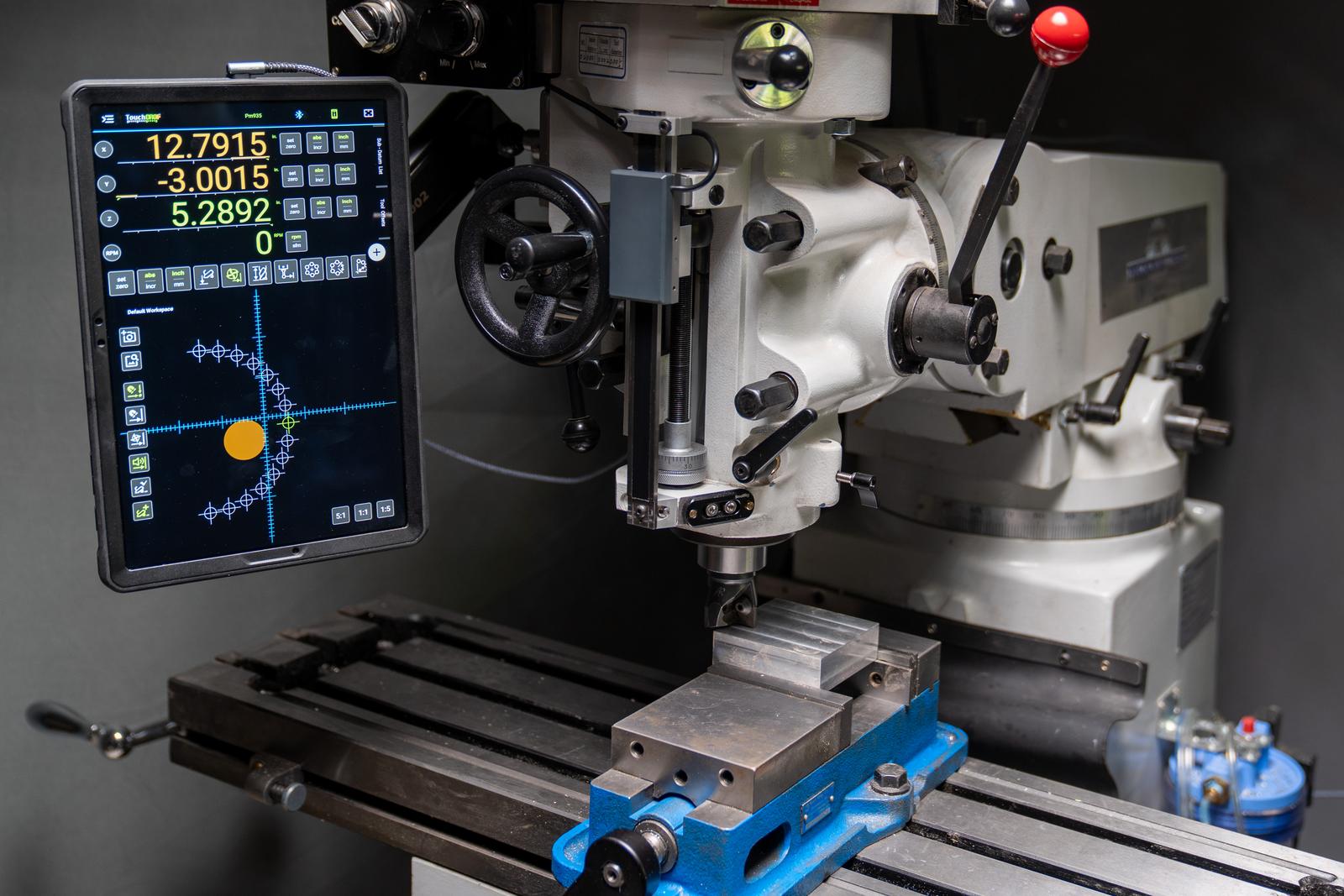
On a milling machine you will likely be using TouchDRO's more advanced features: the graphical projection view, tool-path tracing, center-finder probing cycles, and CAD or image overlays. These work best in portrait orientation, so a larger screen makes a real difference. For mill setups we recommend at least a 10″ tablet, and 11″ is better. If the budget allows, you won't regret a 12″ or 13″ tablet.
On a lathe, most customers use the tablet in landscape orientation, and how much screen you need comes down to how many readouts you want visible at once. If you only want to display two axes (cross slide and carriage), an 8″ or even a 7″ tablet will work. If you expect three or four readouts on the screen (RPM/SFM and the tailstock, for example), a 10″ tablet will be more comfortable.
TouchDRO is optimized to run on very modest hardware, so RAM, storage size, and processor speed shouldn't be a major concern. Any relatively modern tablet will be more than powerful enough to handle the demands of the digital readout. If you plan to listen to podcasts while working in the shop or use the tablet for entertainment when not machining, a model with 3–4 GB of RAM is preferable.
Samsung or Lenovo?
For a new Android tablet, Samsung and Lenovo are the two brands we usually suggest looking at first. Both are easy to find, both have mainstream support and accessories, and both run TouchDRO well. The choice comes down to a few practical differences.
Samsung usually gives you a faster processor for the money, a more integrated experience, and a longer software-support window. That last point matters on a tool you keep on the machine for years: Samsung lists the Galaxy Tab A11+ for up to seven major Android updates, where Lenovo specifies around four years of support for its current 11″ Idea Tab. Lenovo's appeal runs the other way. It often matches or beats Samsung on screen and extras for the price (the Idea Tab has a sharper 2.5K panel and a bundled stylus) and runs a lighter, less customized version of Android. The tradeoff, in our experience, is that Lenovo's updates stop sooner, so the tablet feels dated earlier in its life.
In short, if you want the longest useful life and don't mind paying a little more, lean Samsung. If you want a sharper screen and a pen in the box for less, the Lenovo is a sound choice.
Tablets We Recommend
The two tablets below are our top picks, based on customer feedback and our own testing, weighed against price, screen quality, availability, and how well each manufacturer supports the tablet over time. Some of the links below are affiliate links; if you buy after following one, we get a small kickback from Amazon.
Samsung Galaxy Tab A11+
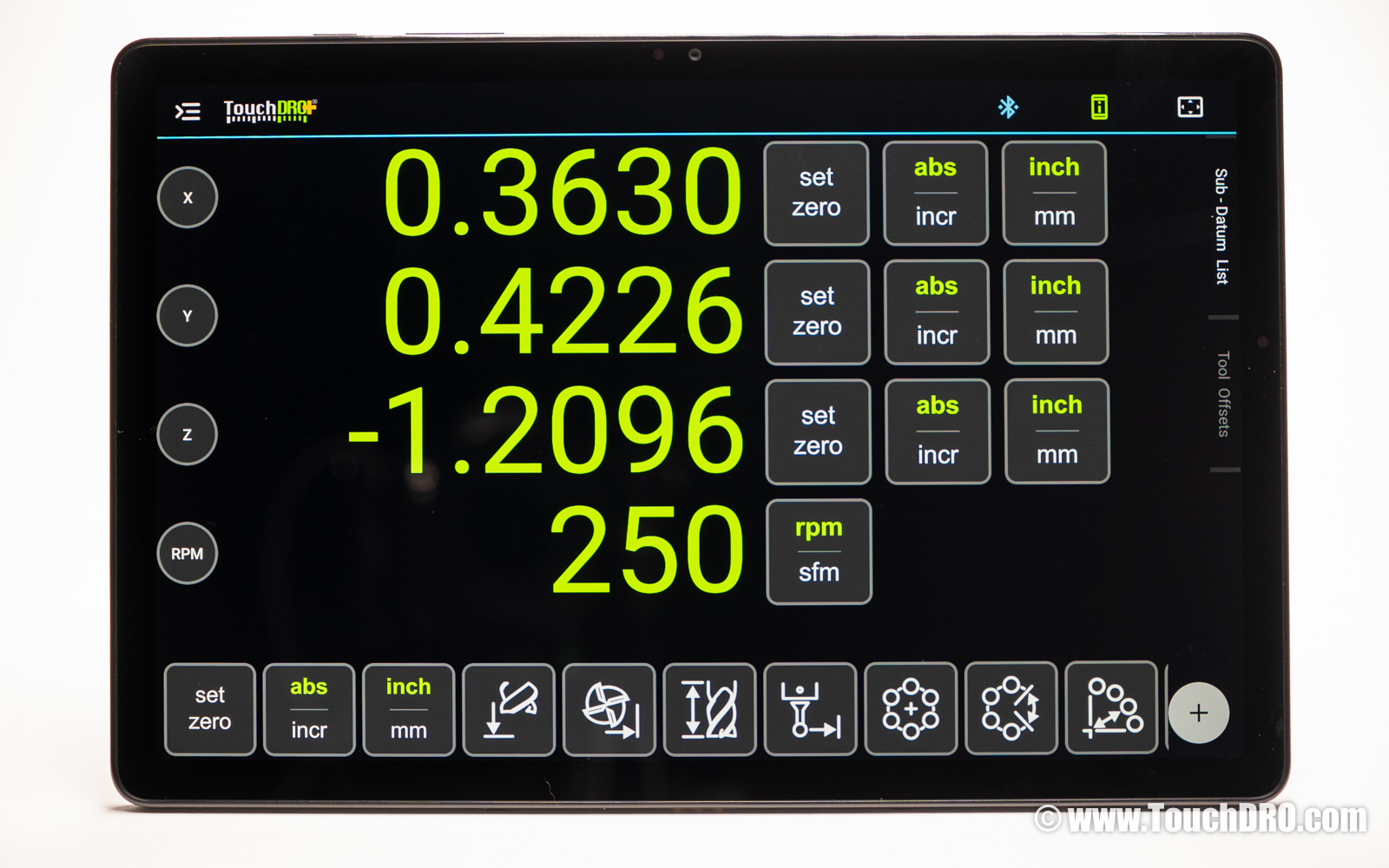
The Galaxy Tab A11+ is Samsung's current 11″ mid-range tablet. Its list price is around $250, but it's often on
sale closer to $200. It has an 11″ 1920×1200 display at 90 Hz, 6 GB of RAM, and 128 GB of
storage with a microSD slot. The 11″ screen is large enough to run TouchDRO in portrait full-time, and it
handles the bolt-circle and edge-finding dialogs without crowding. Samsung supports it for up to seven major Android
updates, so it has a long runway on a tablet that stays on the machine. It's our overall recommendation for most
TouchDRO setups.
You can buy the Samsung Galaxy Tab A11+ on Amazon.
Lenovo Idea Tab (11″)
The Lenovo Idea Tab is Lenovo's current 11″ tablet, the replacement for the Tab M11. Several customers run
TouchDRO on it with very good results, and the draw is the screen: an 11″ 2560×1600 panel at 90 Hz,
sharper than the Samsungs' 1920×1200, with a stylus and folio case in the box. Depending on configuration it
lists around $220, with a Dimensity 6300 processor, 8 GB of RAM, and 128 GB of storage plus microSD. The
tradeoff is the support window covered above: shorter than the A11+'s, so the tablet dates sooner. If you replace
hardware every few years that may not matter, and the sharper screen and bundled pen are real advantages at the
price. The older Tab M11 is worth grabbing if you find one on sale; we ran TouchDRO on it and the M10 without
trouble.
You can buy the Lenovo Idea Tab on Amazon.
If You Want a Bigger Screen
A larger, more expensive tablet won't make TouchDRO run any better; the only reason to step up is screen size. For a lot of mill work, having the graphical projection view on screen the whole time, rather than switching to it, is what makes a 12″-plus tablet worth the money.
Samsung Galaxy Tab S10 FE+
The Galaxy Tab S10 FE+ is the current model in Samsung's FE line, the one to look at when screen size is the goal. It has a 13.1″ screen, big enough to keep the readout and the graphical view open together through a whole job, and runs around $500 with a 90 Hz panel and an IP68 rating for dust and water resistance. On the mill in our own shop we run an older 12.4″ Galaxy Tab S7 FE, picked up used for about $300 a couple of years back, and its included S Pen is handy for quick sketches and notes at the machine. There is no TouchDRO benefit beyond the screen; you are paying for size and build. If the large screen appeals but the price doesn't, an older S9 FE+ or S7 FE turns up used for a good deal less.
Budget Options
Below the picks above, two routes get you running for less. The Lenovo Tab M8 is the no-fuss choice; the Amazon Fire tablets in the next section are better value still if you are willing to side-load.
Lenovo Tab M8
The Tab M8 is Lenovo's entry-level tablet, listing around $90 and often on sale near $80. It's close to the Fire HD 8
in size and quality, with the advantage of running stock Android, so there is no side-loading. In our experience
Lenovo's updates have occasionally introduced bugs that lingered for a while, but for a basic setup it's a solid,
no-hassle choice.
You can buy the Lenovo Tab M8 on Amazon; the
bundled case is basic, but this protective case is
better.
Amazon Fire Tablets
Fire tablets are well-built, cheap, and the hardware runs TouchDRO without trouble. The one thing to know is the app: the version in the Amazon Appstore can lag a few builds behind the Google Play release, so you may not have the newest features right away. To run the current version you side-load the Google Play Store and install TouchDRO from there, a one-time setup with good step-by-step guides online. If you are comfortable with that, Fire tablets are some of the better value on this page; if you'd rather not bother, a Samsung or Lenovo tablet avoids it entirely.
The line runs from 7″ to 11″, so you can match the size guidance above to your budget.
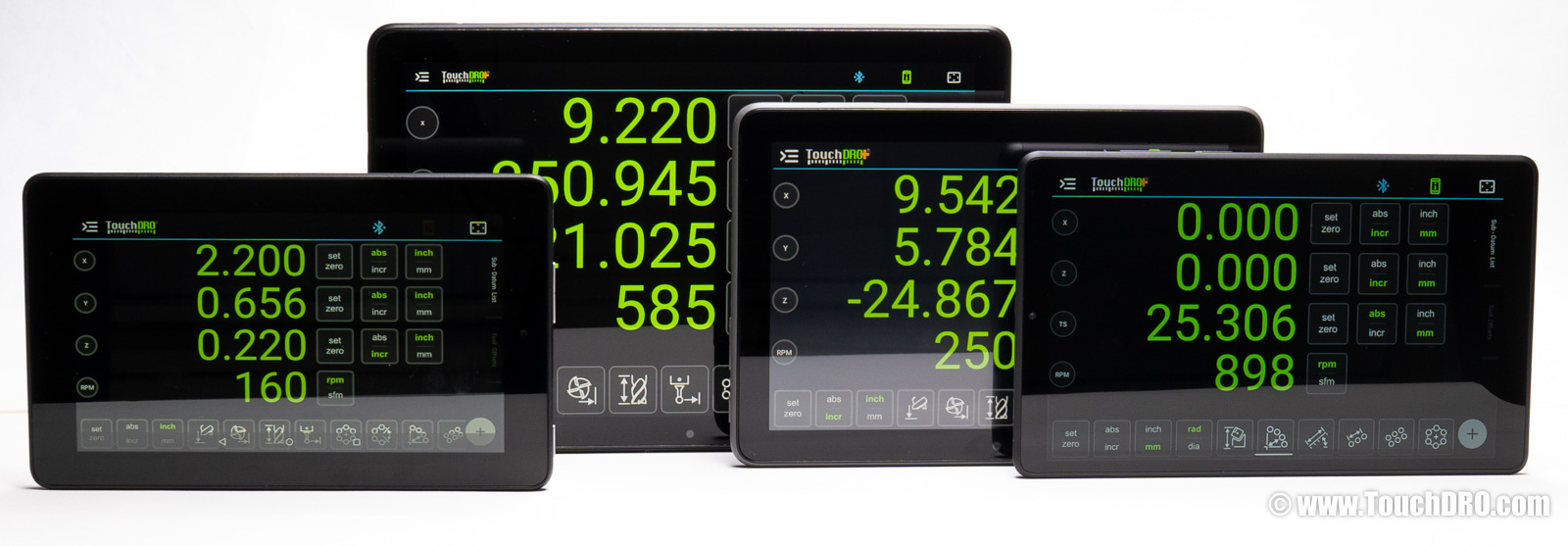
The Fire 7 lists at $60 and often sells for $40–50. The small 7″ screen suits a two-axis lathe readout but is tight for a mill or the graphical view. You can buy it on Amazon with a case and screen protector.
The Fire HD 8 lists at $100 but is often on sale around $60, which is the price worth paying. The 8″ screen gives the dialogs more room than the Fire 7. You can buy it on Amazon with a case and screen protector.
The Fire HD 10 has a $140 MSRP and is often around $100, sometimes as low as $75. The 10″ display is bright and the hardware responsive, which makes it the value pick of the Fire line. You can buy it on Amazon with this protective case.
The Fire Max 11 lists at $220 and is frequently on sale for $170, sometimes $140. Its 11″ screen is close to the Galaxy Tab A9+ in size and quality; the rest of the hardware is a step below the Samsungs, though for TouchDRO that difference doesn't show. You can buy it on Amazon with this protective case.
Second-Hand Tablets
You don't need a new tablet for TouchDRO, and the used market has plenty of good options for a fraction of the original price. Once it's set up, a dedicated DRO tablet keeps doing its job for years; it reads your scales locally over Bluetooth and doesn't need updates or an internet connection to run. The one thing worth checking on a used buy is the Android version, since a newer OS gives you more years of updates and Play Store support ahead of it.
There isn't much reason to go below Android 8, and we would hold out for Android 12 or newer if you can. A Samsung or Lenovo tablet from around 2019 on usually clears that bar, so a used Galaxy Tab A or a Lenovo Tab in the 10–11″ range is a safe place to start.
If you have questions or want a second opinion on a specific model, the contact form linked at the bottom of the page will reach us.
Next Steps
A tablet is half of a TouchDRO setup; the other half is the adapter that reads your scales and sends the position data to the app. The TouchDRO Adapter for Milling Machines (TDA-420) and the TouchDRO Adapter for Lathes (TDA-410) cover the two common cases, and the TouchDRO Adapter Comparison page walks through the differences. If you haven't settled on scales yet, start with the DRO Scale Selection Guide. Once the hardware is in hand, the Quick Start Guide covers pairing the tablet with the adapter and getting your first readout on the screen.