
Replacing Your Anilam DRO Console with TouchDRO
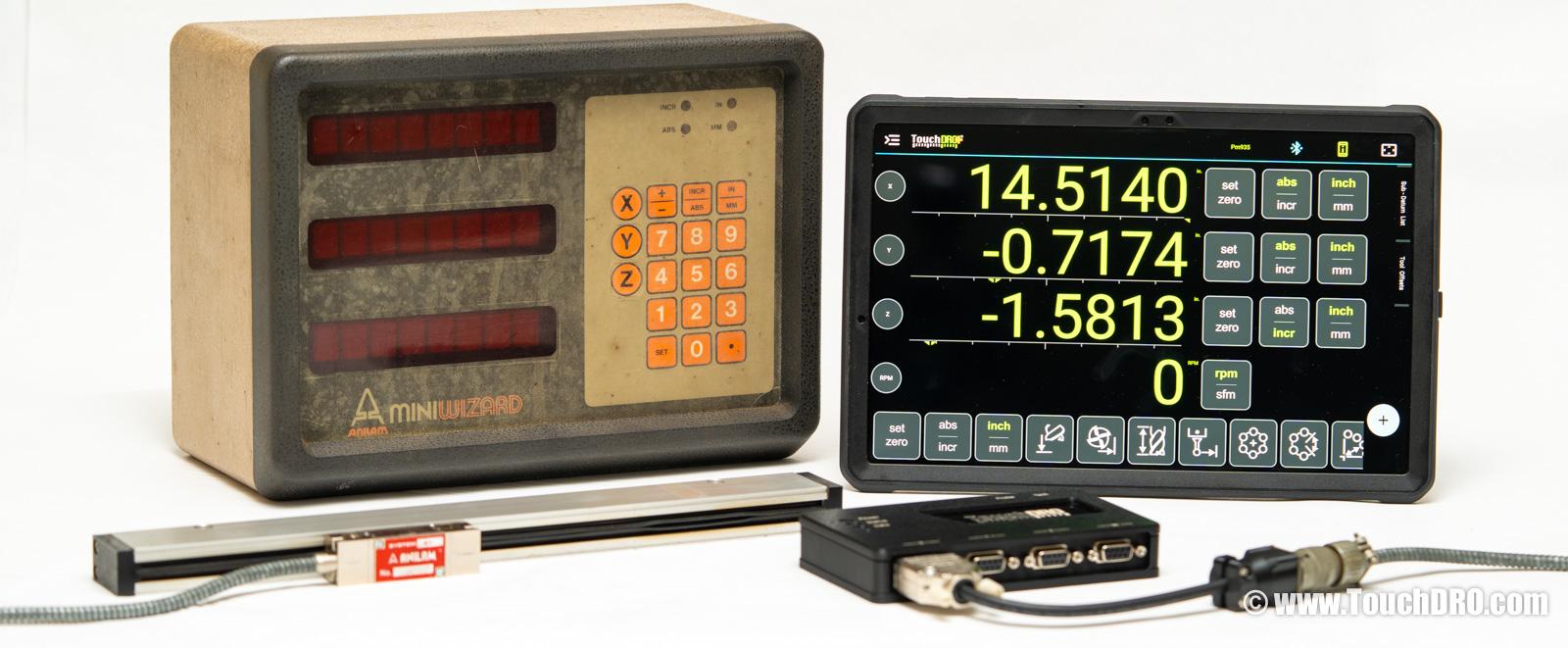
Anilam DRO models like the Wizard, Mini Wizard, Super Wizard, and Spirit were fairly common from the 1980s through the 2000s. These consoles, built in the USA, were real workhorses in many machine shops and hobbyist garages. Even today they can be found on a fair number of used Bridgeport (or import clone) milling machines and lathes from that era. Being 20–40 years old, the consoles are starting to fail, and even working consoles are showing their age.
If your vintage Anilam display has failed, or you simply want to upgrade it to a more modern and capable system, you can likely reuse the Anilam scales that are already installed on your milling machine or lathe. The fundamental operating principle behind glass scales hasn't changed (a light source, a precision grating, and a photodetector). If your existing Anilam scales still repeat reliably, they're more than accurate enough for manual machining, and there's no reason to tear good American-made scales off your machine. TouchDRO can work with many vintage Anilam scales, so you can keep what's already on your machine and replace just the aging or failed console with a modern, tablet-based readout. The TouchDRO adapter for milling machines and the adapter for metal lathes both cover the TTL Anilam scales described below.
Why Replace Your Anilam Console with TouchDRO?
If your Anilam console is still working, you might wonder why you'd bother switching. Here are a few reasons to consider:
- Better value than a like-for-like replacement - used Anilam consoles on eBay regularly sell for $300–$1,000, and you're still getting a 20–40 year old unit that could fail again. A dubious repair isn't much better. For similar or less money, TouchDRO gives you a modern system with a bigger display, more features, and parts you can actually buy if something breaks; a $60 tablet is a lot easier to replace than a discontinued console.
- Your scales are probably still fine. Many Anilam glass scales hold up well over time; if yours still repeat reliably, the console is the only part that needs to go.
- A tablet screen is significantly larger and more readable than the original Anilam LCD or LED displays, especially in shop lighting.
- TouchDRO includes bolt hole calculators, tool presets, a graphical projection view, and other features that go well beyond what the Wizard series offered.
- The Anilam DRO line has been discontinued for years, and replacement parts are increasingly hard to find; TouchDRO is actively developed and supported.
Which Anilam Do You Have?
Note that Heidenhain (Acu-Rite's parent company) purchased Anilam at some point in the late 90s to early 2000s, and Wizard DROs from that era, such as the Wizard 411, 550, and 1000, were similar to the Acu-Rite VUE, 200S, and 300S respectively. They were sold with rebranded Acu-Rite SENC scales with 9-pin D-Sub connectors. For those scales, you don't need any adapters or rewiring; TouchDRO scale interface boxes can be ordered with an Acu-Rite compatible pinout.
Older, pre-Heidenhain Anilam systems used proprietary round connectors with six or seven pins. The rest of this article covers these connectors and how to use them with TouchDRO.
| Anilam Connector | Signal Type | TouchDRO Compatible? | What You Need |
|---|---|---|---|
| 9-pin D-Sub | TTL quadrature | Yes - direct | Order TDA-410/420 with Acu-Rite pinout |
| 6-pin twist-lock (Bendix PT06) | TTL quadrature | Yes - with adapter | TDC-MS6 adapter cable or connector swap |
| 6-pin threaded barrel (MIL-style) | TTL quadrature | Probably (pinout not yet documented) | Signal appears to be 5V TTL; connector swap to DB9 likely needed (see below) |
| 7-pin threaded barrel | Analog sin/cos | Not directly | Requires interpolation box (see below) |
Anilam Scale Connectors
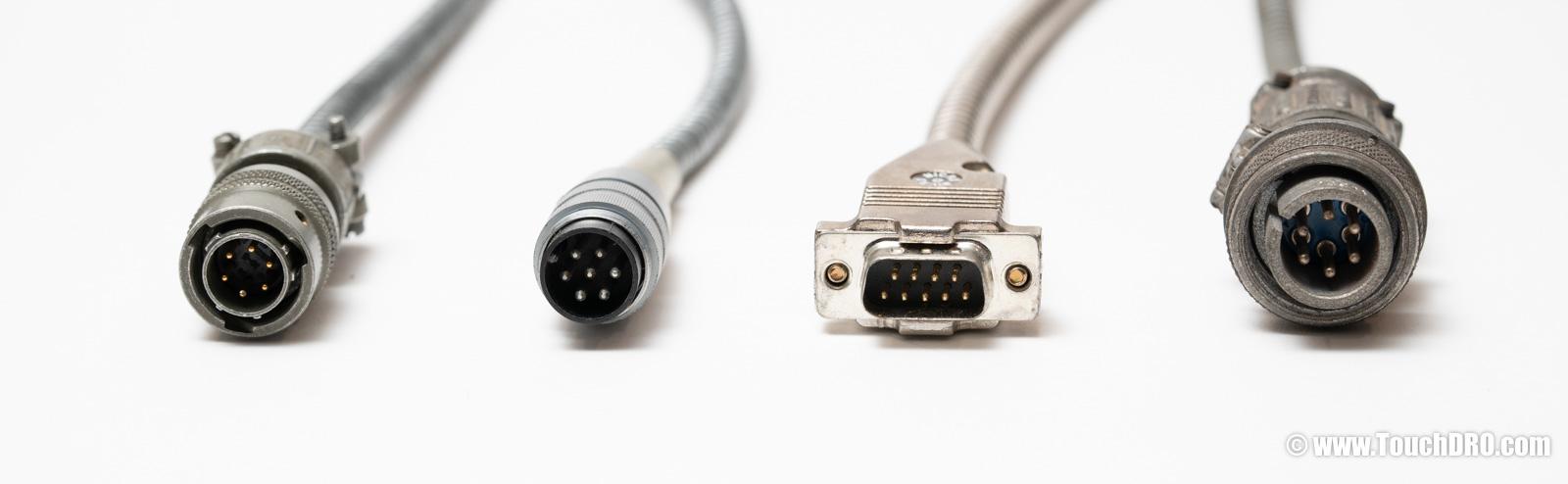
6-Pin Twist-Lock Connector
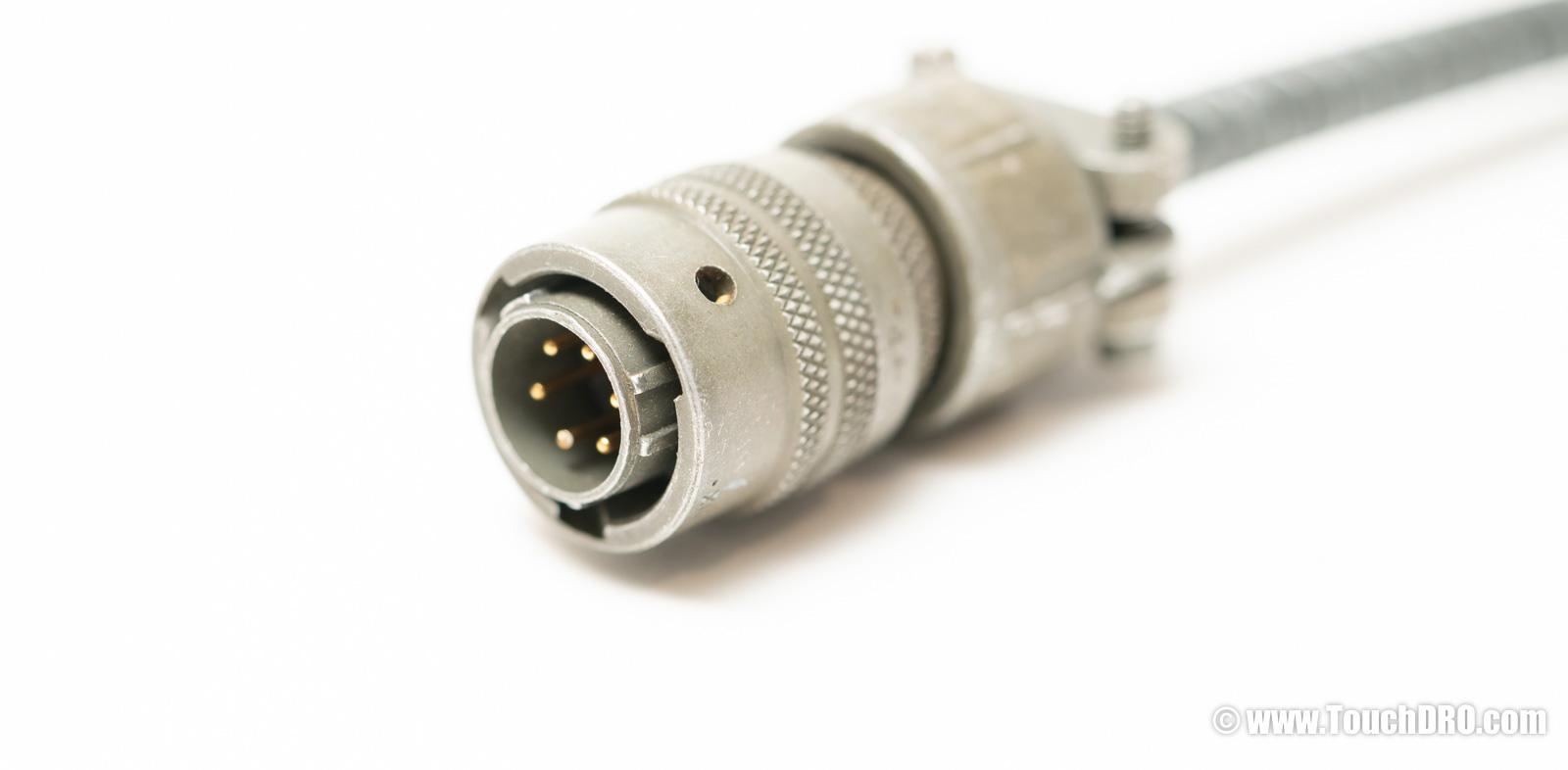
This is the most common connector used by the genuine Anilam scales that came with the older Anilam Wizard and some Spirit displays. It's a 6-pin round connector with a bayonet-style locking mechanism; you push it in and twist to lock, similar to a BNC connector. The original connector was called the Bendix PT06, but you might see it referred to as a "Canon-type connector" or "Acu-Rite Mini Scale connector." These connectors are still made by Amphenol and can be purchased from most major electronic parts distributors.
The pinout of the scale connector is as follows:
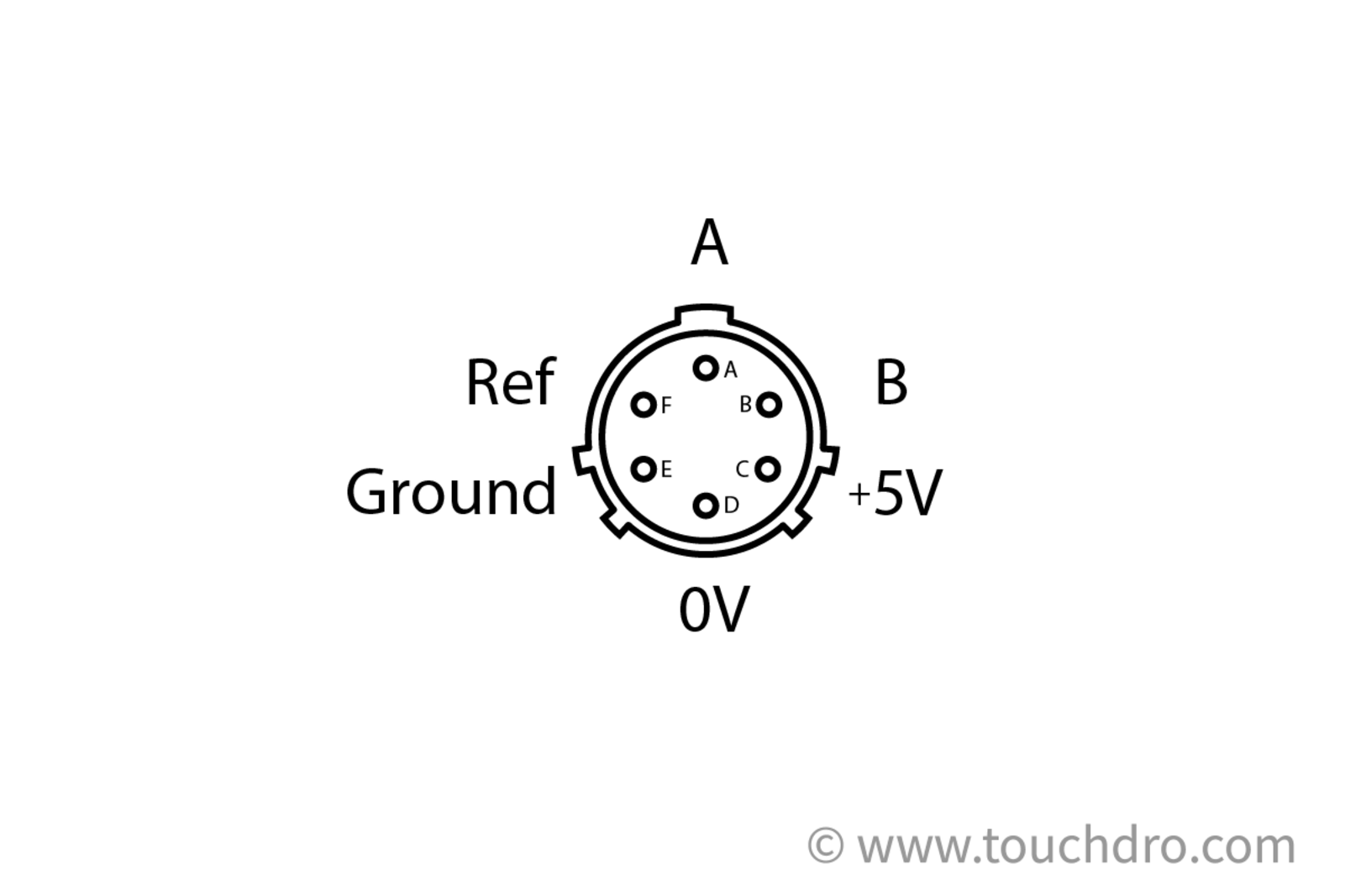
| PT06 Pin | Signal |
|---|---|
| A | Channel A |
| B | Channel B |
| C | +5V |
| D | 0V / Signal Ground |
| E | Shield / Ground |
| F | Reference (index) |
The scales are electronically compatible with TouchDRO, but the connectors are physically incompatible with the TouchDRO adapter's DB-9 inputs. To connect these scales, you will either need to replace the connectors or use an adapter cable.
Adapter Cable
We sell a pre-made adapter cable TDC-MS6, or you can make your own. You will need the following parts for each scale:
- Amphenol PT06E-10-6S-SR (6-pin plug)
- DB-9 male connector
- 5-conductor stranded shielded cable
You can also reuse the female connectors from your existing Anilam display, but you will need to fabricate or 3D-print a suitable housing with adequate strain relief.
Wire each pin on your scale over to the corresponding DB-9 input on TouchDRO, using the pinout shown above.
Connector Replacement
Replacing the round Bendix connector with a standard DB9 male is more cost-effective, but can be rather fiddly. If you have decent soldering experience, you can desolder the existing Bendix connector and solder on a DB9 male connector in its place.
Anilam didn't use standard wire colors, so be sure to note your cable's wire colors in relation to the connector pins before you remove anything. Use the pinout above for the new connector wiring.
7-Pin Round Connector with Threaded Barrel
Not directly compatible with TouchDRO. These scales output an analog sin/cos signal and require an interpolation box to convert to TTL before they can be used with TouchDRO.
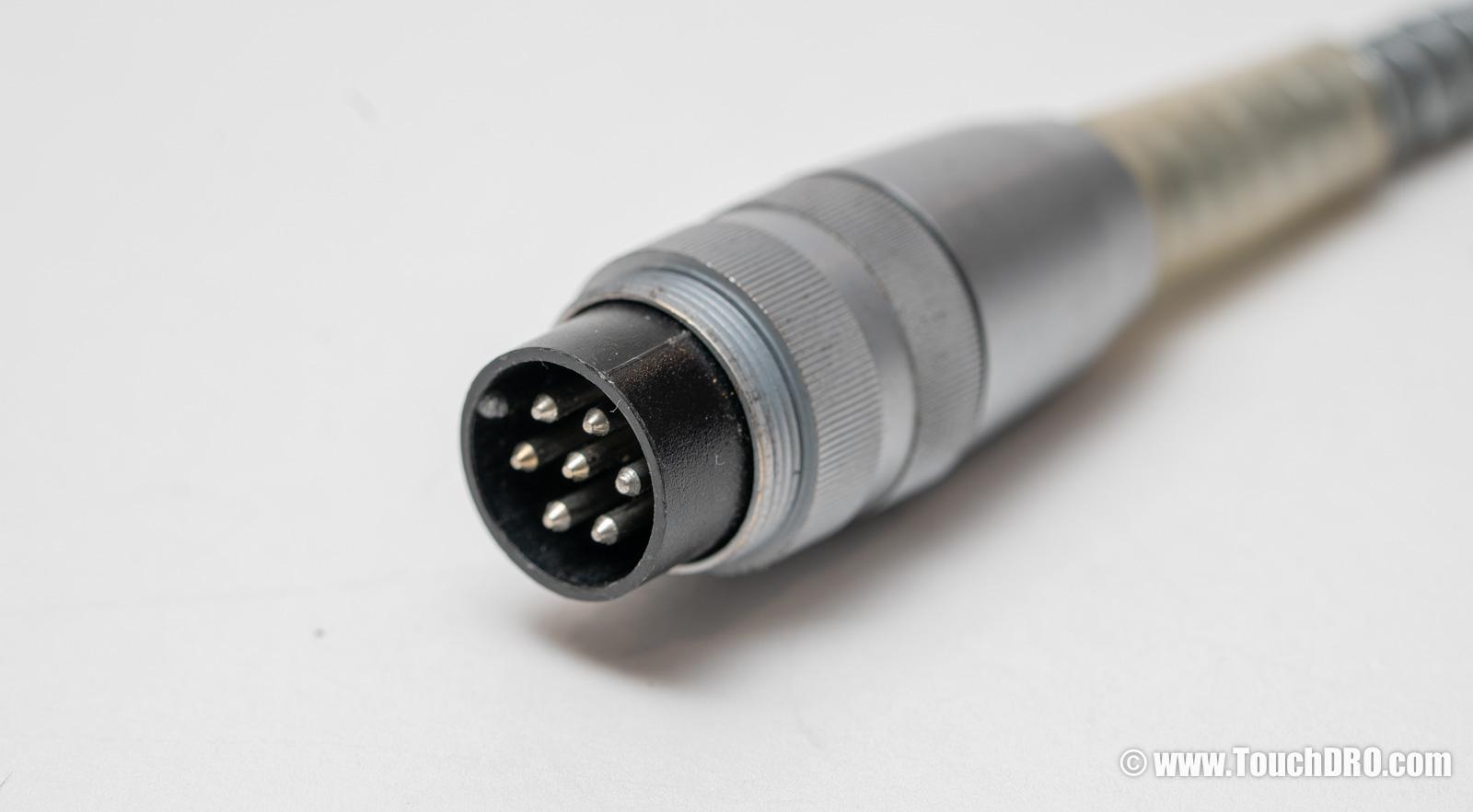
This connector looks somewhat similar to the 6-pin twist-lock at first glance, but there are two important differences: it has seven pins instead of six, and the barrel is threaded (you screw it on rather than twist-lock). Scales with 7-pin connectors appear to have been used with older, pre-1980s Anilam Wizard DROs, but we have also come across an Anilam Spirit DRO from the 90s that had 7-pin input connectors. These scales use a 10V supply voltage and output an analog sine/cosine signal with a 100 μm pitch. They can't be connected to TouchDRO directly.
From time to time, you can find Anilam's interpolation boxes on the used market (photo below). They are usually listed as "Anilam Div5," "Anilam System Div5," or "System Div5" on eBay, since the sellers often don't know what these are. These interpolation boxes were intended to allow connecting older 7-pin scales to DRO consoles with 6-pin TTL inputs.
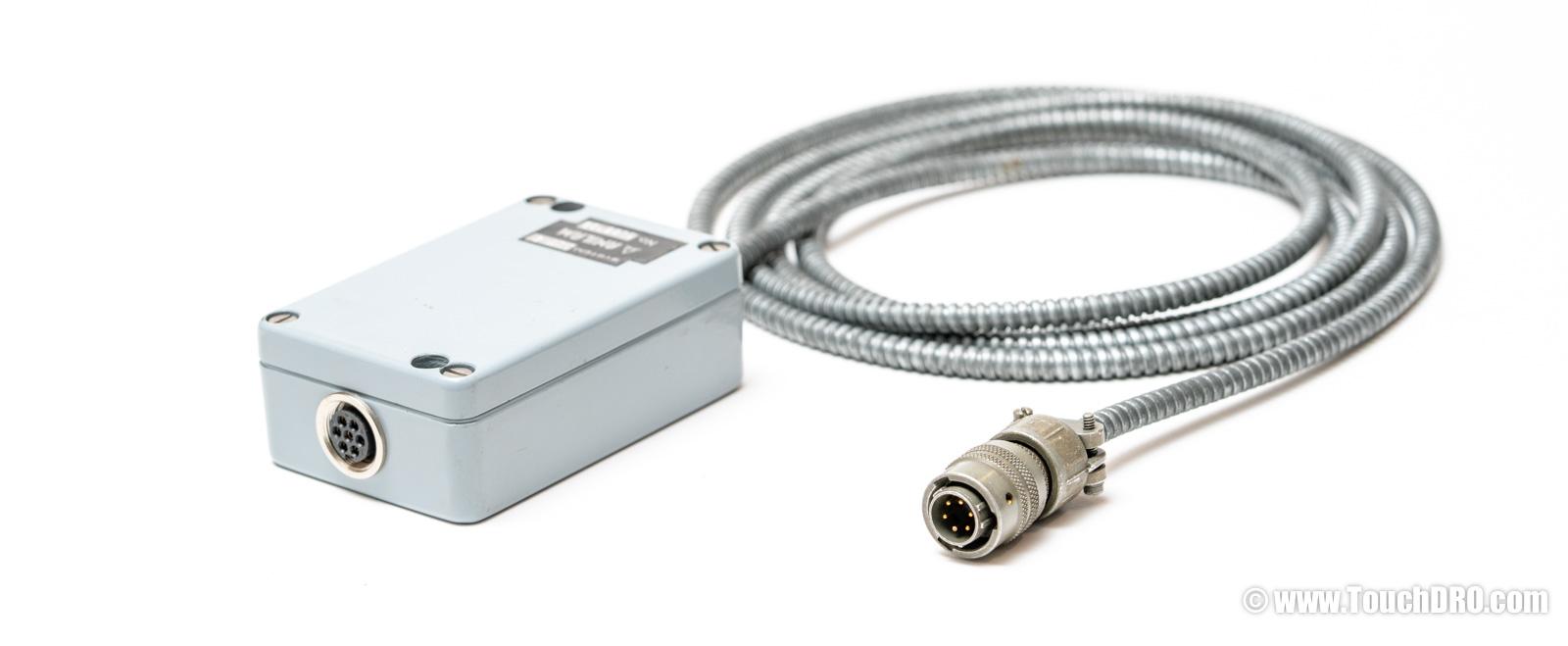
If you already have a DIV-5 box, you may already have TTL quadrature available; TouchDRO can read the DIV-5 output directly. To confirm, check for 0–5V square waves on two channels, 90° out of phase.
If you don't have a DIV-5 box, the more practical path is usually to replace the scales with modern glass or magnetic DRO scales; used interpolation boxes are rare and often cost more than a new set of scales. If you aren't sure which situation you're in, contact us with a few photos of your scales and connectors, and we can help you sort it out.
6-Pin Round Connector with Threaded Barrel
Some scales that were intended for use with Anilam's CNC controllers came with a larger 6-pin MIL-style connector with a threaded barrel. Based on what little information we've been able to gather, these scales appear to output a 5V TTL quadrature signal, but we were not able to find a working unit to fully reverse-engineer the pin functions. If you have one of these scales in working condition and are willing to help document the pinout, please get in touch.
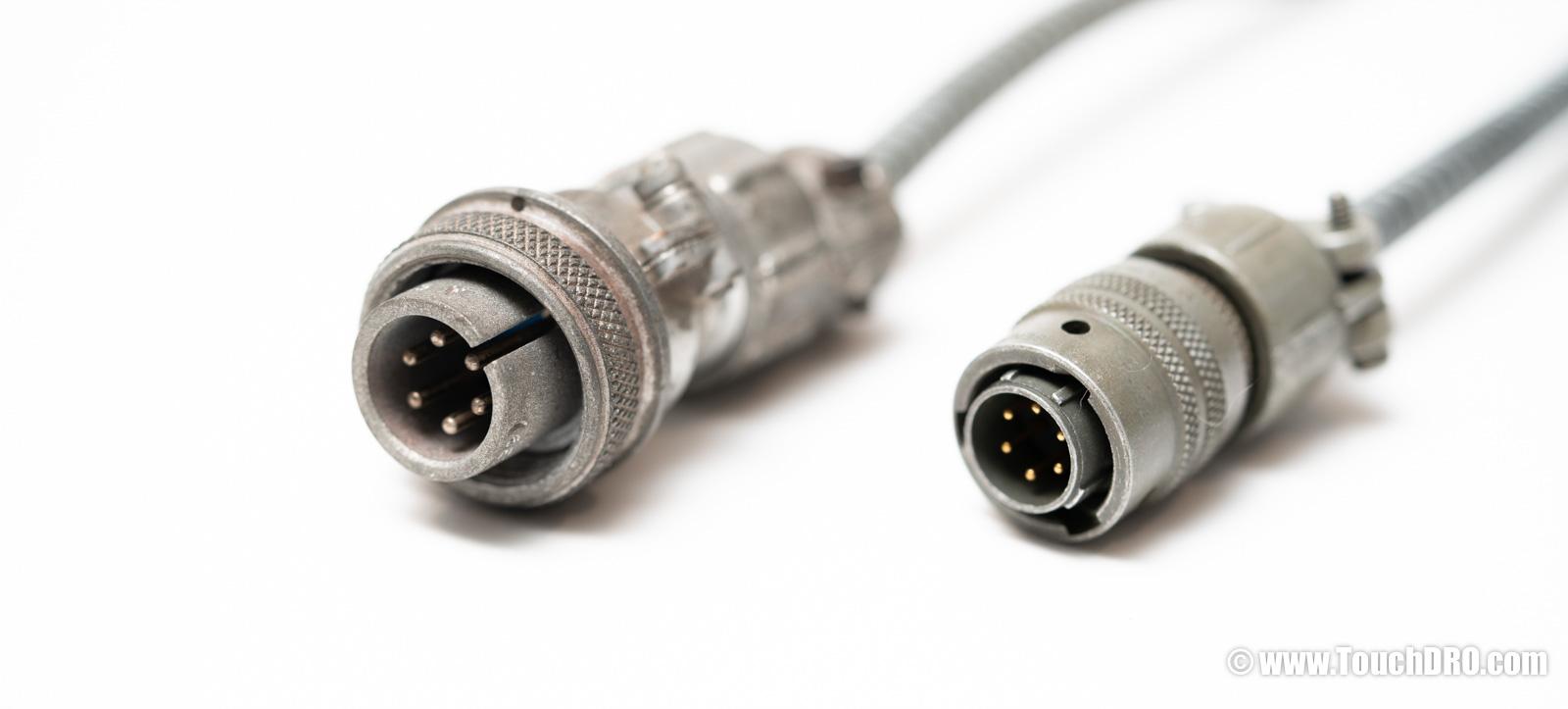
Unfortunately, we were also not able to find a source of compatible female connectors. If you decide to use these scales with TouchDRO, you will most likely need to replace the connectors with DB9 male connectors to match the scale inputs on the milling machine and lathe adapter kits.
Aside: if you happen to know the make and model of these connectors, please let us know; this information will be very helpful for other people with similar scales.
9-Pin D-Sub Connector
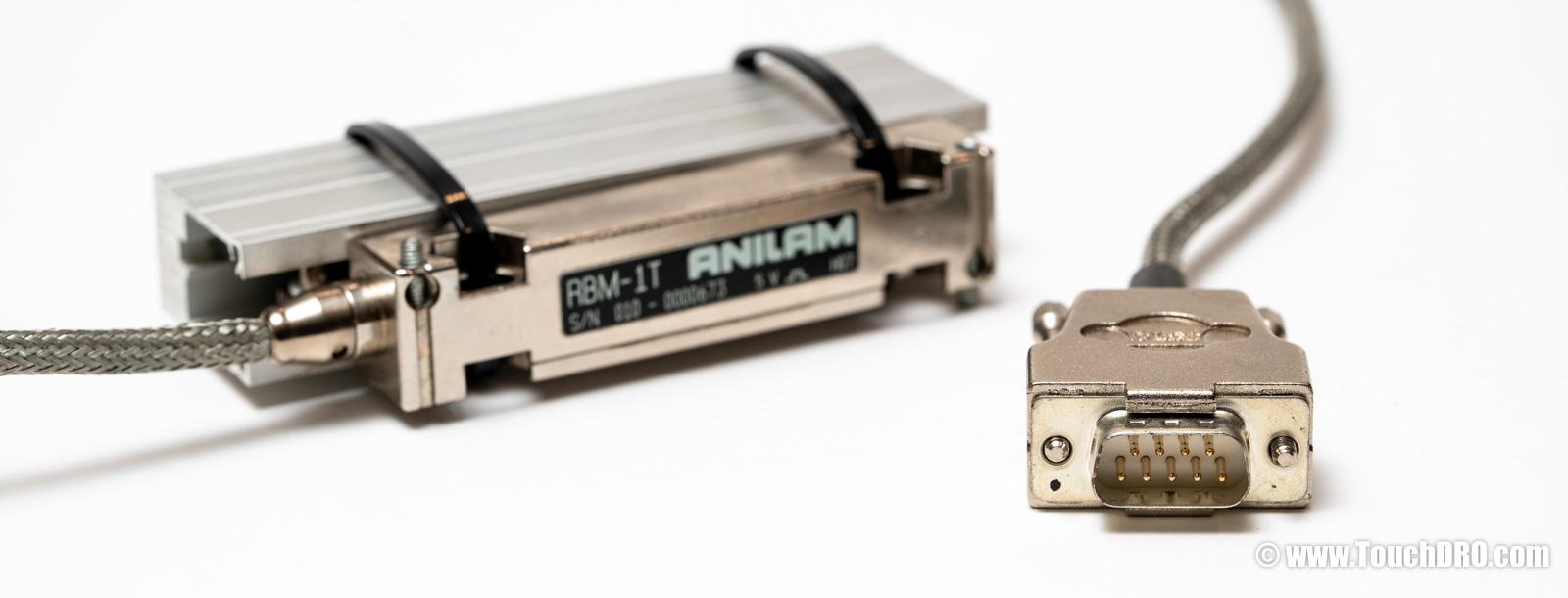
As mentioned earlier, Anilam scales with 9-pin D-Sub connectors are pin-compatible with Acu-Rite scales. You don't need any adapter cables, since the TDA-410 and TDA-420 scale interface adapters can be ordered with an Acu-Rite compatible pinout.
For reference, the pinout is identical to the Acu-Rite DB-9:
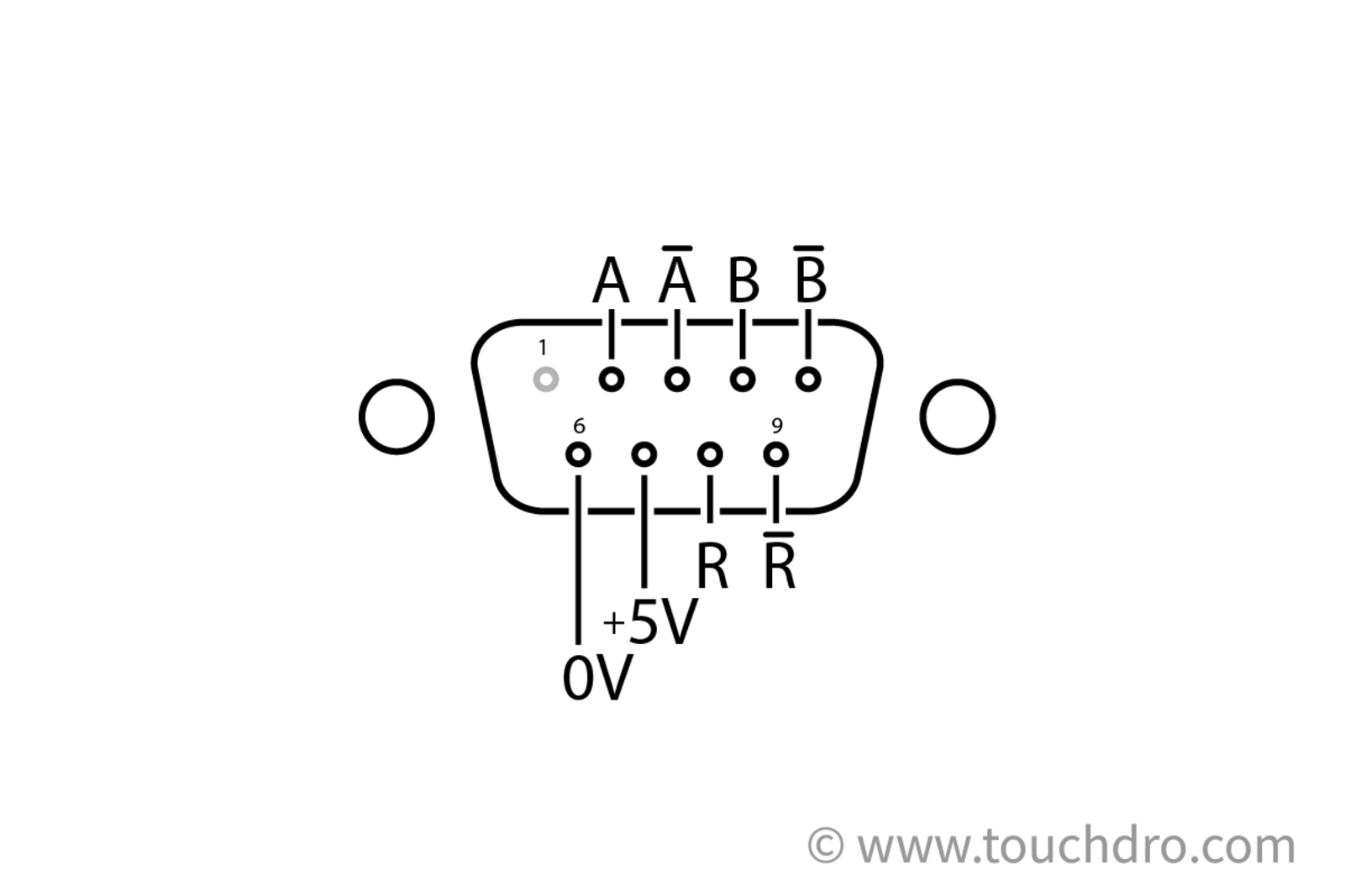
| DB-9 Pin | Signal |
|---|---|
| 2 | Channel A |
| 3 | Channel A (inverted) |
| 4 | Channel B |
| 5 | Channel B (inverted) |
| 6 | 0V / Signal Ground |
| 7 | +5V |
| 8 | Reference (index) |
| 9 | Reference (inverted) |
Pin 1 is unused. Differential scales populate all eight signal pins; single-ended scales omit the inverted channels on pins 3, 5, and 9.
Installation Overview
- Unplug your scale cables from the Anilam console. Leave the scales mounted on your machine; you're keeping those.
- Plug the Anilam end of each adapter cable into the corresponding scale (or connect directly if you swapped the connectors for DB9), then plug the other end into the matching axis input on the TouchDRO.
- Mount the TouchDRO in a convenient location on your machine. Many people 3D-print an enclosure or mount it to the column.
- Install the TouchDRO app on your Android or Fire tablet, pair it with the TouchDRO over Bluetooth, and configure your axes.
- Move each axis and confirm that the readout responds correctly; check the direction and resolution in the TouchDRO settings.
Making the Switch
If Your Scales Are Compatible
Pick up a TouchDRO adapter kit for your milling machine or lathe. If your scales use the 6-pin twist-lock connector, you can also order a pre-made TDC-MS6 adapter cable, or build your own using the pinout and parts list above.
If You Aren't Sure What You Have
If you're unsure about your connector type or whether your scales will work, feel free to contact us directly; we're happy to help you figure it out before you commit to the switch.