
TouchDRO 3.23 Release Notes
TouchDRO 3.23 is the release that became known as TouchDRO V3. Almost every part of the application was rewritten or heavily reworked: the main screen, the settings, the graphical view, the tool library, and the way the application talks to the adapter. This page covers the changes that matter at the machine, with links to the manual pages that describe each one in full.
New User Interface
The main screen keeps the large readouts. The rest of it was rearranged so that more functions are reachable from the main screen. The sub-datum panel on the right can be collapsed, which uncovers a row of function buttons that you can configure to hold the functions you use most. The application menu is now a drawer on the left that holds the tool library, workspaces, configurations, and settings. On larger tablets, TouchDRO can also run in portrait orientation, which suits a tablet mounted on the side of a machine.
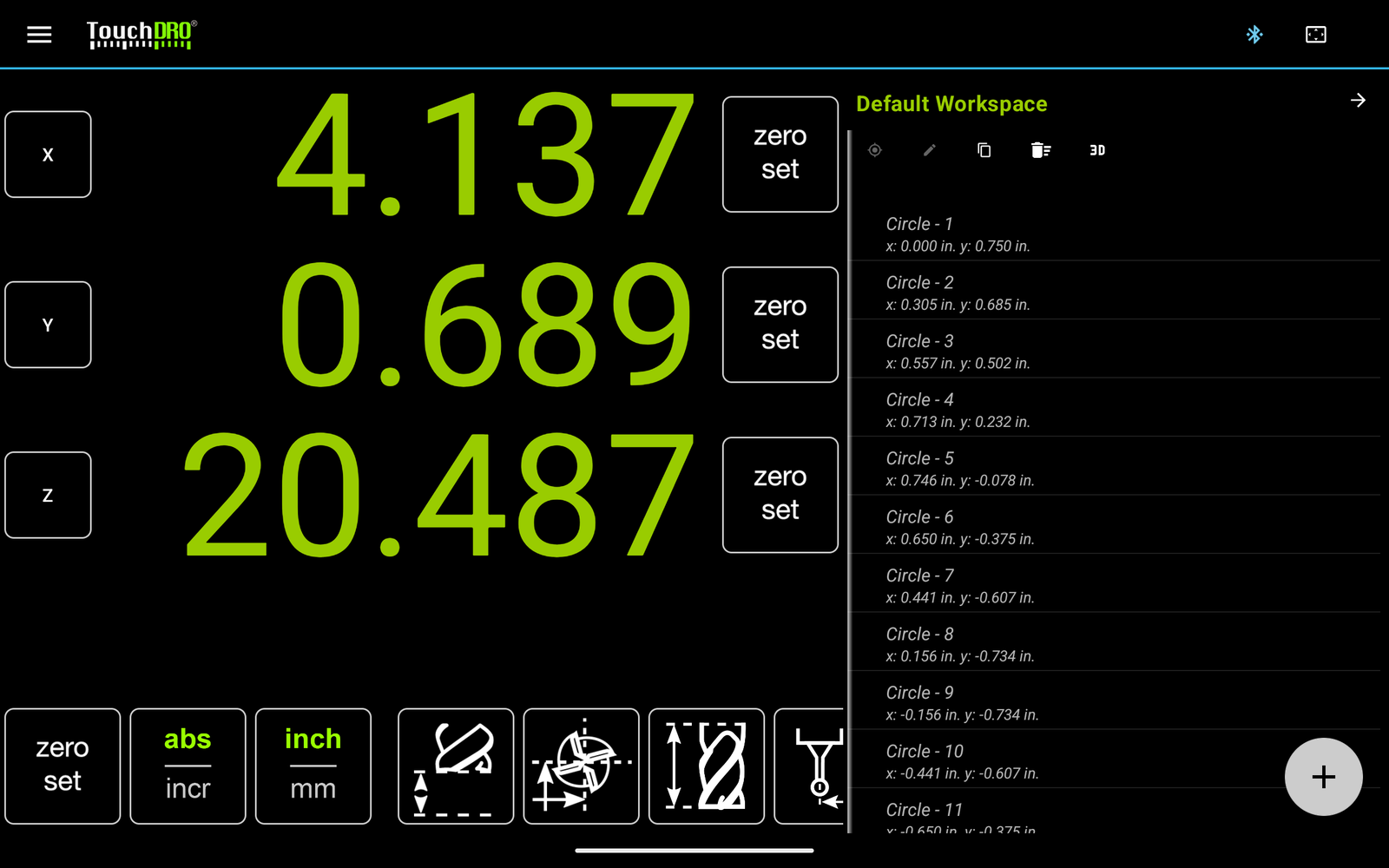
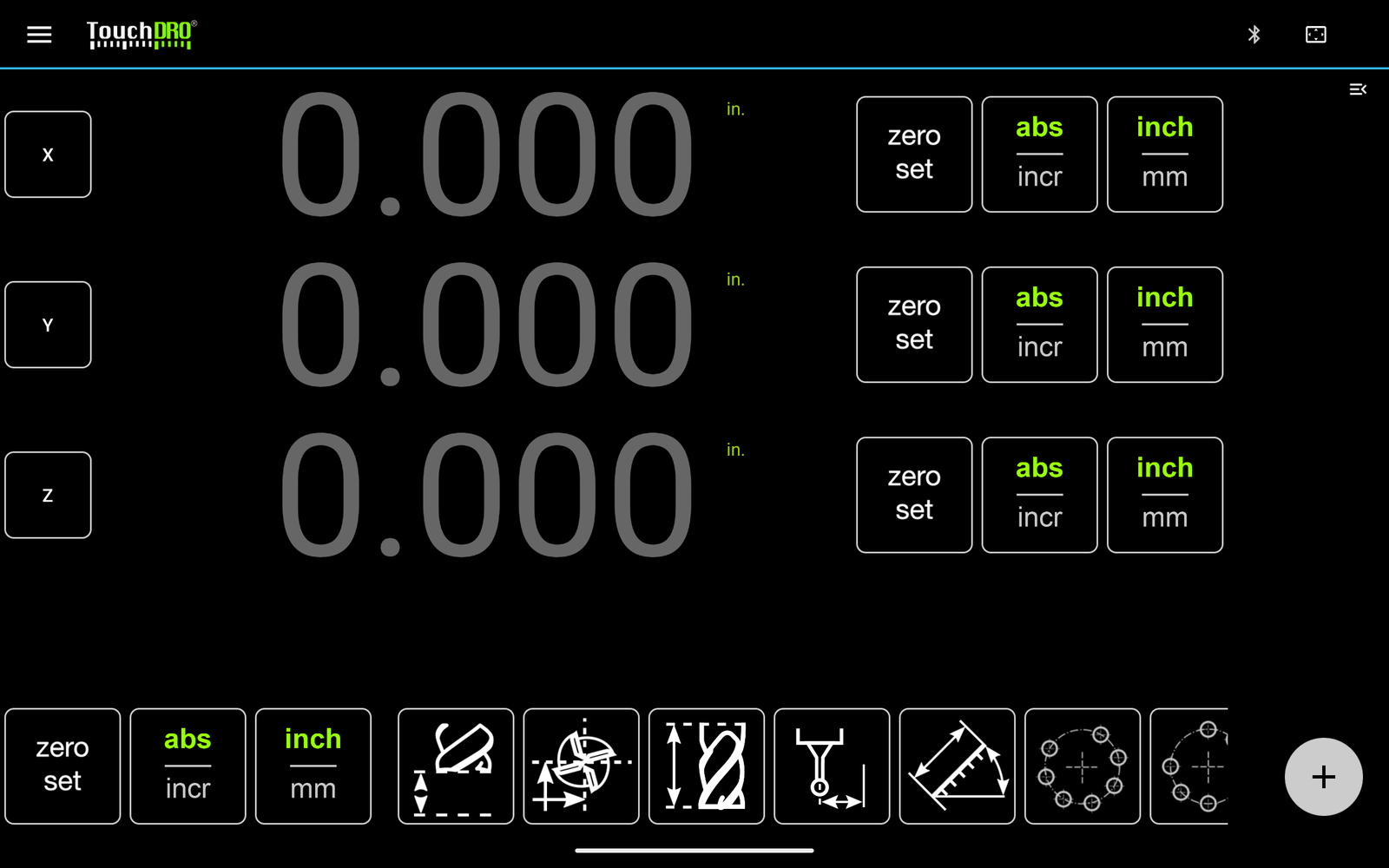
See "User Interface" and "Function Buttons".
Configurations
A shop with more than one machine, or one machine used for very different kinds of work, needs more than one set of settings. Version 3.23 adds configurations, which are independent sets of settings, sub-datums, and tool offsets. Each configuration behaves like a separate TouchDRO installation, so you switch from the mill to the lathe by picking the other configuration. See "Machine Profiles".
Flexible Input Mapping
An axis readout can now combine two adapter inputs. This covers a mill with a quill scale and a knee scale summed into Z, and combination machines where one scale serves two functions. Axis resolution can be set below one micron for scales and encoders that need it. See "Axis Settings".
Touch Probe Support
TouchDRO can now use an electronic touch probe or tool height setter wired into the adapter. The "Indicate Workpiece" function can find an edge, a corner, or the center of a bore from probe touches, and the "Set Z Reference" function can pick up the tool height from an electronic setter. Both functions still work with a mechanical edge finder or a feeler gauge if you don't own a probe.
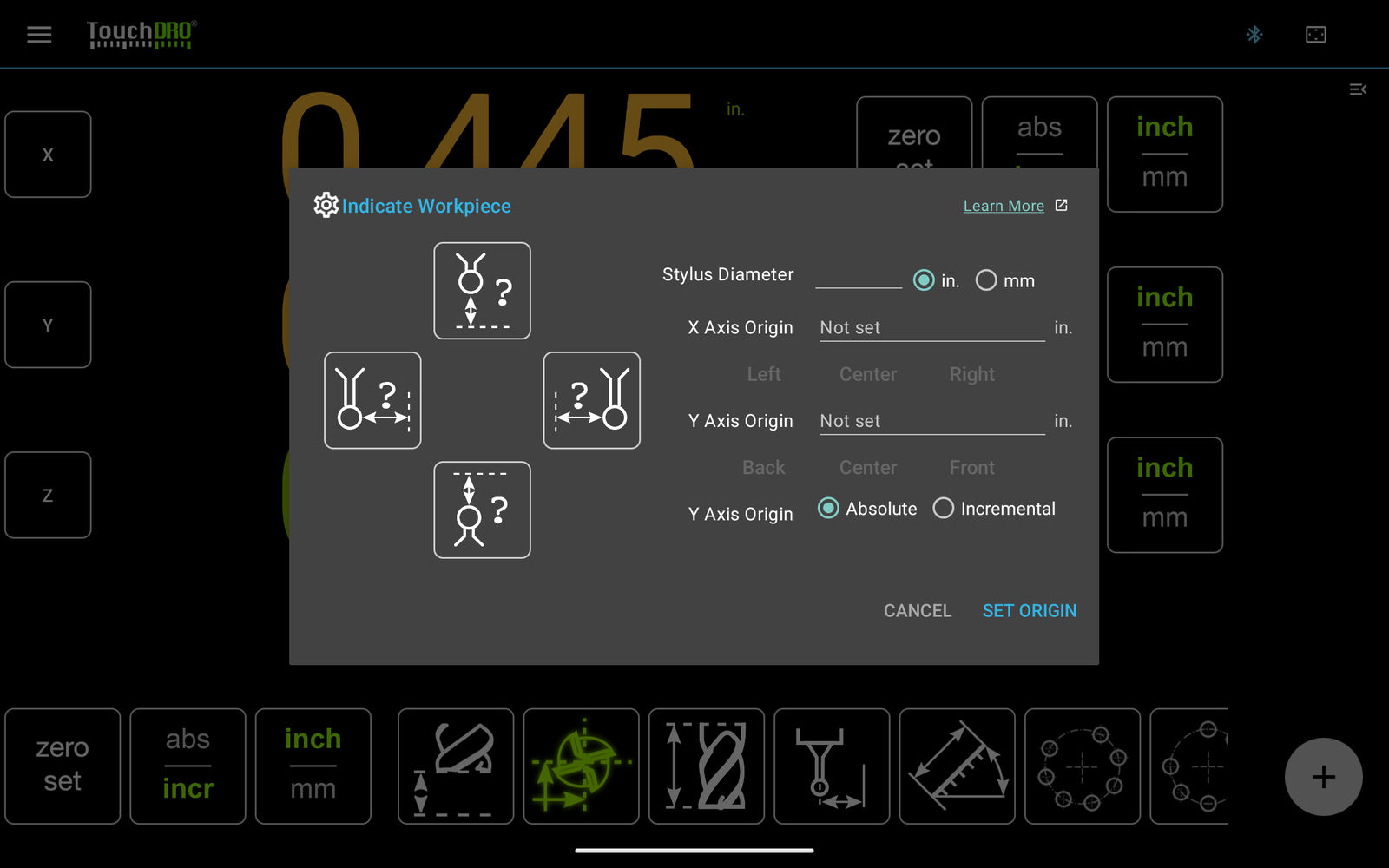
See "Edge Finder (Indicate Workpiece) Function" and "Set Z Reference Function".
Calibration Wizard and Measure Function
Scale calibration used to mean measuring a travel, reading the counts, and working out the resolution by hand. The new calibration wizard walks you through the measurement and calculates the resolution for you. See "How to Calibrate DRO Scales".
The new "Measure" function reports the distance or the angle between two points, so you can check a dimension on the part from the DRO screen. See "Measure Distance/Angle".
Graphical View
The preview workspace from earlier versions is replaced by a full graphical view. It draws the cutter at its true size and shows the radius compensation in force, so you can see which side of the line the cutter is on. Guide lines are new: a guide is a one-dimensional sub-datum, a line at a fixed X or Y, and TouchDRO sounds a warning as the cutter approaches it. Zoom and pan were reworked, and you can double-tap to fit the whole workspace on screen.
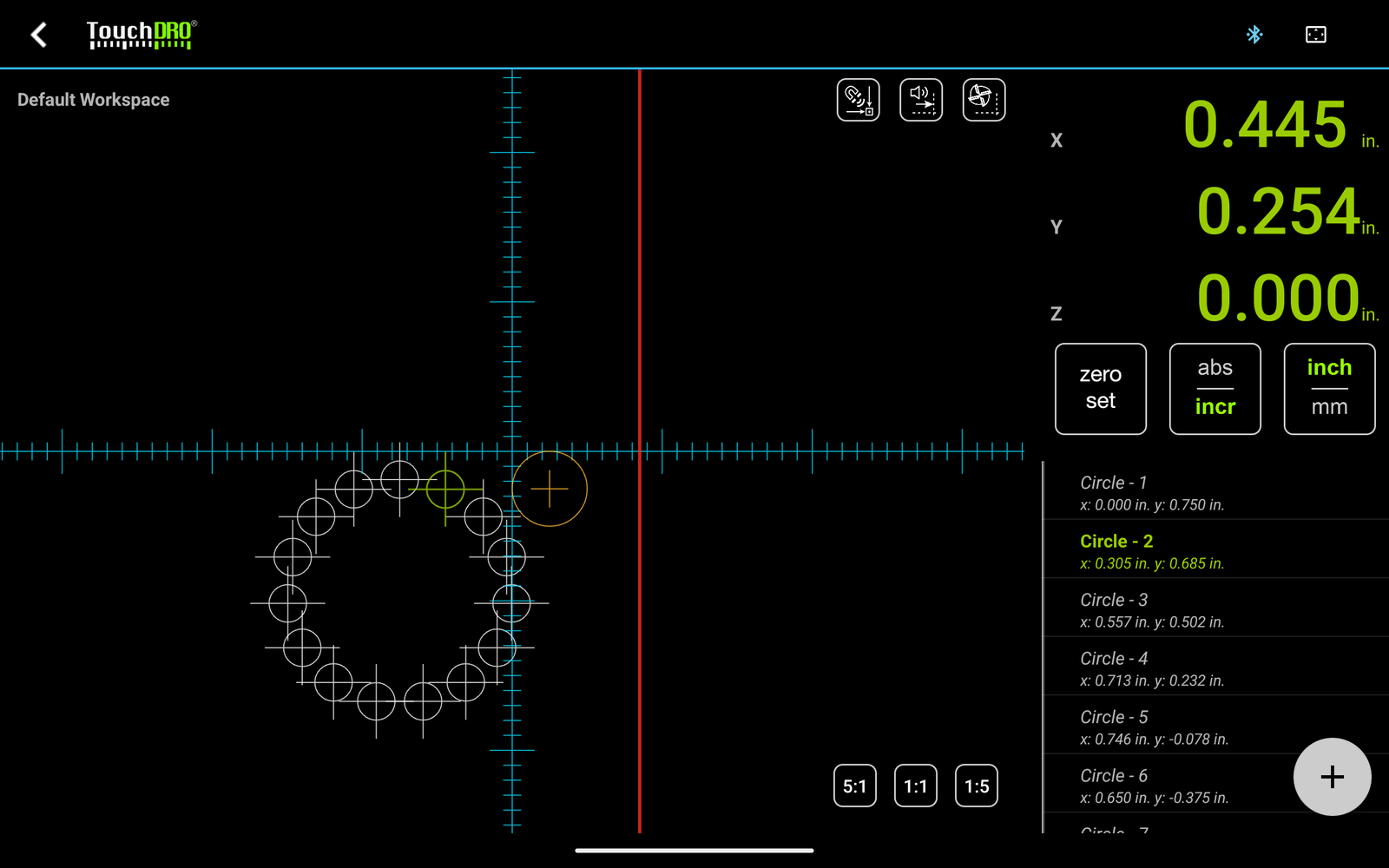
See "Graphical View Display" and "Working with Guides".
Tool Offsets
The single tool offset from earlier versions is split into two functions that you can use independently: cutter radius compensation, which offsets the readout by the cutter radius, and tool height compensation, which offsets Z by the tool length. The saved tool library was expanded to hold both, and TouchDRO handles machines with more than one spindle better. See "Cutter Radius Compensation", "Tool Height Compensation", and "Mill Tool Library and Tool Offsets".
Later in 2023
Several smaller updates followed during 2023:
- The "Indicate Workpiece" function was reworked.
- A hysteresis setting for an axis whose readout flickers between two values.
- An option to turn off two-way communication for adapters running the original iGaging V1 firmware.